Table of Contents
Jump to a section
Someone on r/aws asked why it is so hard for people to write least privilege policies.
They were doing a security audit, found s3:* and literal AdministratorAccess on nearly every role, and put it down to laziness (who wouldn't on the first look?).
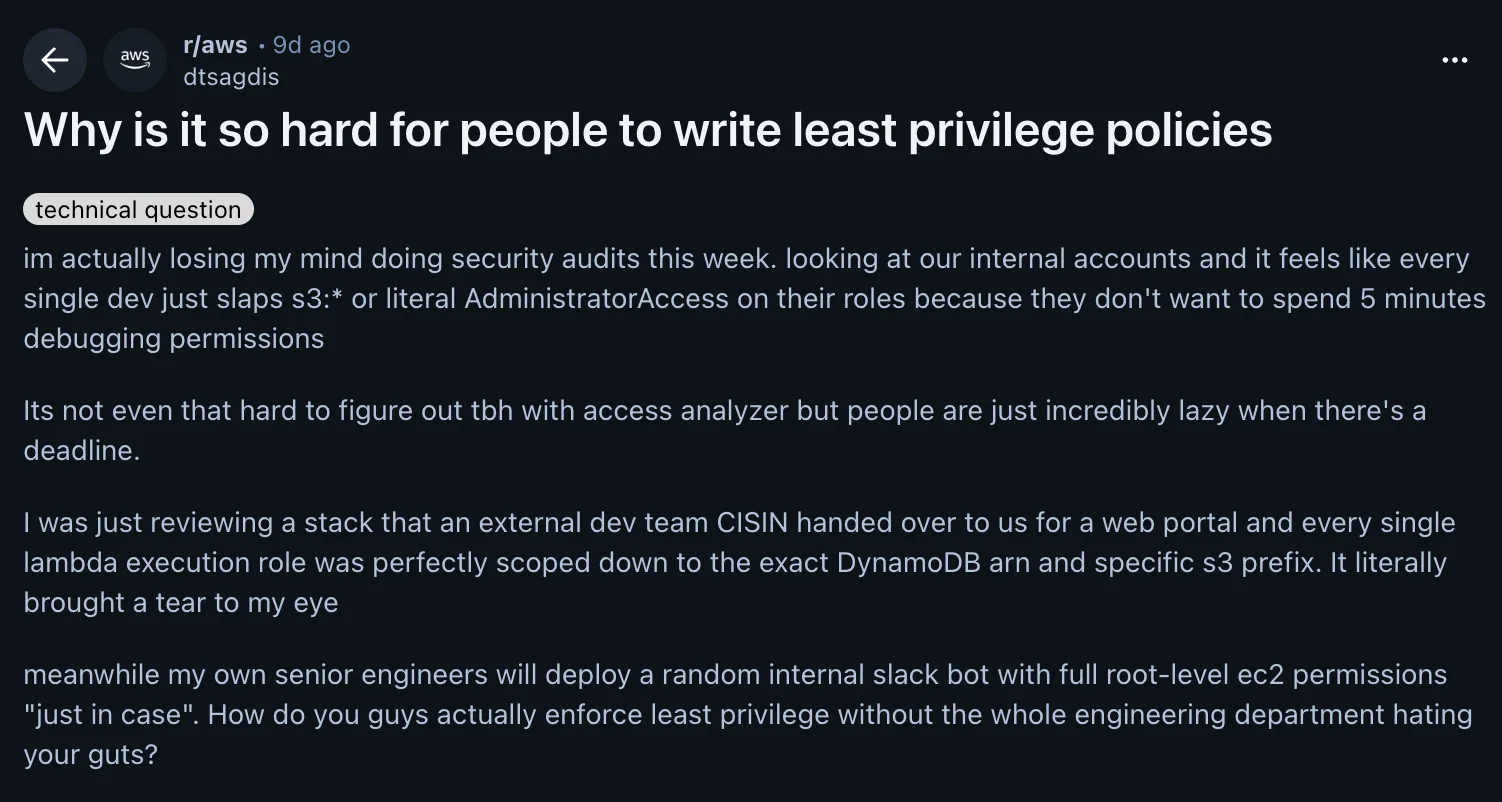
The thread got 125 comments and almost nobody agreed with the premise - this was pretty unexpected to me! Not because people think wildcards are fine, but because the ones writing them explained, in detail, what the actual loop looks like.
My take after reading all of it: IAM as a service is great and I genuinely like it (one of the most mature services in AWS, imho, even though totally abused by the community). On the other hand, the tooling around writing policies for it is not mature enough, and that is where the wildcards come from. Mostly not a skill issue (contrary to other posts I read mostly, like this one that was featured on Hacker News).
I want to go through the five reasons the thread surfaced and then show the setup that works for me.
Where I'm coming from
Skip this section if you are a regular reader of this blog anyway 😉
I have been running AWS for years, both as an engineer and as someone who teaches it.
Multi-account org, SCPs, permission boundaries, the whole thing.
I have also shipped my share of * at unusual hours and told myself I would refactor it later.
We'll start with wildcards and a single account without an organization. We'll rework this later when there's more time! (biggest lie in the world)
So this is not a lecture about how you should be more disciplined. The discipline argument is exactly what the thread took apart.
Let's go through the five reasons the thread actually surfaced. It was quite an interesting read in the first place!
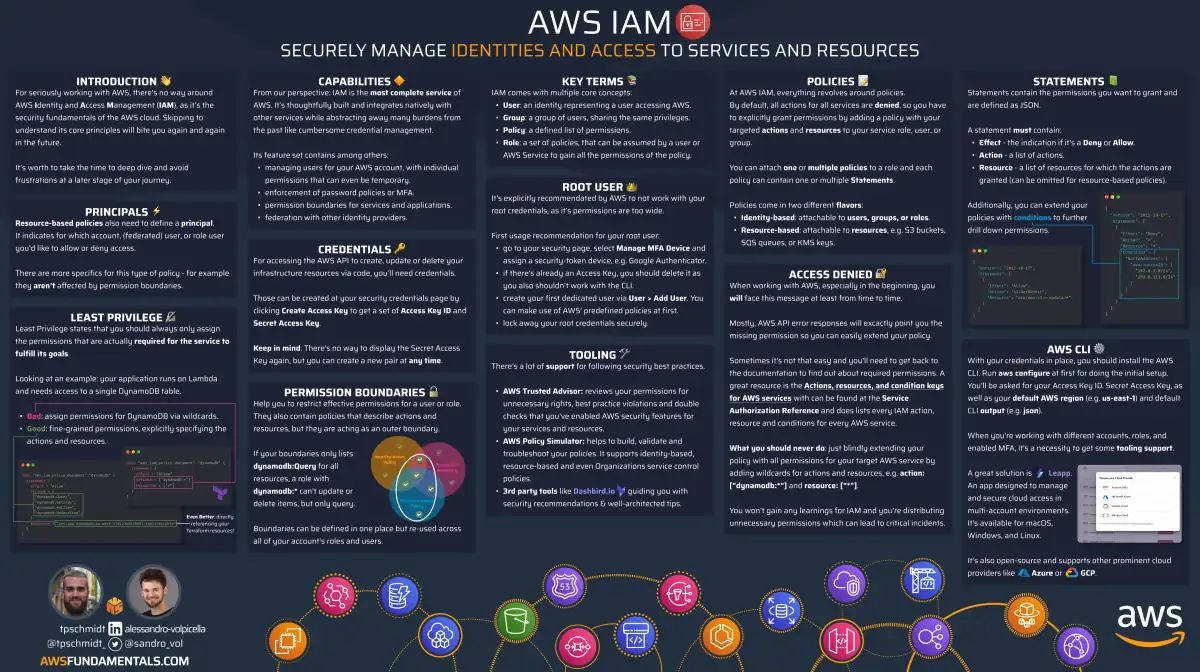
IAM on One Page (No Fluff)
Secure your AWS resources. Our IAM cheat sheet covers roles, policies, and permissions - everything you need for proper access control.
HD quality, print-friendly. Stick it next to your desk.
1. The loop is the problem, not the intent
The top comment reflects most of the thread:
Cutting corners because you're under pressure from an upcoming deadline is not the same thing as being lazy.
Here is what the loop looks like in practice.
- You add a permission, deploy, wait a few minutes, and fail on the next missing one.
- AWS denies one action at a time, so you discover them one by one through trial and error.
One commenter got a reply suggesting they should be willing to run thirty iterations:
You are out of your mind if you think I'm going to take 30 swings at solving a permissions problem. At 10 minutes per build/deploy, 30 iterations is all fuckin' day to solve a permissions problem.
That is the honest math if you're using things like CloudFormation or CDK (which is based on CloudFormation) 😅 Thirty CI runs at ten minutes each is a full working day spent on permissions (maybe for a single resource). Nobody has that kind of time imho.
Another one summed up the emotional side better than I could:
The end result is it's one of the most, if not the single most, exhausting, infuriating, and demoralizing tasks in cloud development.
The fix people keep asking for in the thread does not exist yet: a fast CI check that tells you which permission errors you will hit BEFORE you deploy. The closest thing right now is awslabs/iam-policy-autopilot, which was linked three times in the thread. It does static analysis of your SDK calls and generates a baseline policy, and it also ships an MCP server so your coding agent can use it. The README is honest about it being a starting point, not a production policy.
I never tried it, but it looks promising. As I'm quite confident with IAM, I'm not sure I'll ever need it.
2. One SDK call is not one IAM action
There was a long argument in the thread from someone insisting this is simple:
When you write code you have to write code using the AWS SDK that calls a specific action. If I am using boto I write:
S3.Client.get_object. That means I puts3:GetObjectin my IAM policy for the bucket.
The replies took that apart, and rightly so.
s3:GetObject alone gets you a working happy path and a lying error message.
Without s3:ListBucket, a missing object comes back as 403 instead of 404, because S3 will not tell you whether an object exists in a bucket you cannot list.
Put a customer managed KMS key on the bucket and you need kms:Decrypt too, plus kms:GenerateDataKey the moment you write.
So the fun easily turns into a nightmare trial and error loop 😅
So the "one call" policy is really this:
{
    "Version": "2012-10-17",
    "Statement": [
        {
            "Effect": "Allow",
            "Action": "s3:GetObject",
            "Resource": "arn:aws:s3:::my-bucket/prefix/*"
        },
        {
            "Effect": "Allow",
            "Action": "s3:ListBucket",
            "Resource": "arn:aws:s3:::my-bucket",
            "Condition": {
                "StringLike": { "s3:prefix": "prefix/*" }
            }
        },
        {
            "Effect": "Allow",
            "Action": ["kms:Decrypt", "kms:GenerateDataKey"],
            "Resource": "arn:aws:kms:eu-central-1:111122223333:key/abcd-1234"
        }
    ]
}
Three statements and a condition block for what the developer experienced as a single get_object call.
The docs do not tell you this upfront.
You find out through the loop from point 1.
And it gets worse with managed services, where you are not the one making the calls:
I don't know what internal endpoints an AWS managed service calls when I want to use a specific piece of functionality. I'm relying on them to tell me because it's their service. Except in many cases they don't and the error messages are often misleading. Sagemaker is incredibly guilty of this.
3. Access Analyzer generates policies that don't survive the move to prod
The OP's own argument was that this is a solved problem: point IAM Access Analyzer at CloudTrail and it writes the policy for you. One commenter described exactly that workflow as the thing that ends the fight. The reply underneath is the best comment in the whole thread, and it lists three failure modes:
-
Your error paths never ran: The code that dumps a crash report to S3 only fires on an edge case from an external API. It is not in your CloudTrail, so it is NOT in your generated policy. You probably find out in prod, during the incident, when the error handler itself gets denied.
-
The ARNs come out hardcoded: Access Analyzer generated the policy from your dev traffic, so it says
something-dev-something. Production issomething-prod-something. You have to go back in and parameterize every ARN by hand (or your AI does it for you), which is most of the work you were trying to avoid. -
Your dev trail contains code you deleted: CloudTrail recorded the API calls from three abandoned approaches you tried yesterday. Those permissions are now in your "least privilege" policy too 😅
The same commenter still makes the case for CloudTrail, but for a different job: finding the indirect permissions from point 2. That is what it is really good at, I think. Generating the finished policy is not the same task.
4. Policy size limits push you toward wildcards on purpose
This one is structural:
The policies have a size limit, and you literally run out of space before you can truly granularly make a policy for a group. So you need to do inverses usually and go very broad instead.
The numbers are documented quotas.
- A customer managed policy is capped at 6,144 characters.
- An inline policy on a role is capped at 10,240 characters.
- A role can have 20 managed policies attached by default, 25 at most.
I'm quite sure that for 99.9% of the use cases this stays theoretical. I never ran into it once in 8+ years of working with AWS.
5. Centralizing IAM often makes policies wider, not tighter
Several people suggested the obvious org fix: take IAM away from developers and give it to a central security team.
Then this reply landed, and it's the first thing I'd have answered too:
Ironically, moving IAM ownership to a central team has made our IAM policies far broader. It's now so much work, both for the dev team and the central team, to provision a new IAM policy, the policies that are made are overbroad so less are needed.
Seriously, I've been told "We don't want to create these 10 tightly scoped policies, that's too much paperwork. Instead, here is one policy with all of the permissions combined."
This 100% matches what I have seen. The moment a policy change costs a ticket and a two-day wait, you WILL batch them. Ten scoped policies become one combined policy, because one approval is cheaper than ten. The governance process optimized for its own paperwork (that nobody reads and likes to read) and made the security outcome worse.
Another commenter pointed at the same effect from the incentive side:
You have Operations folks responsible for IAM for other teams and they are motivated to avoid the embarrassment of delivering a role that doesn't work so they just wildcard everything. It's the tale as old as time, misaligned incentives.
If the person writing the policy gets blamed when it is too tight and never sees the consequences when it is too wide, you know which direction the policy goes. Utterly understandable and this approach feels horribly broken and wrong to me.
What actually works
The best answer in the thread is not a better policy-writing workflow. It is moving the boundary:
The meta has shifted away from role-level least privilege and towards account-level, managed via Organizations and SCPs. Least privilege should absolutely still be followed intra-account to the extent that it is possible, but account-level isolation and SCPs should be your first line of defense.
That is the whole point 🎉
Stop trying to make every role perfect and make the blast radius small instead. Here is the concrete version of that setup.
Separate accounts per environment and team
An account is the only hard isolation boundary AWS gives you directly out of the box, for free! A wildcard in a sandbox account that holds nothing valuable is a non-event. The same wildcard in the account with your customer data is an incident.
Sandbox accounts should be islands: no shared VPC, no Transit Gateway attachment, nothing production-adjacent to reach.
Recommendation: for f$&! sake, use AWS Organizations and isolate your workloads in separate accounts. Don't move this into "we'll set this up later and start with a single account". You will regret it.
SCPs so a wildcard cannot resolve to anything dangerous
An SCP sets the absolute ceiling for EVERYTHING in the account, including the root user.
Even if someone attaches AdministratorAccess, the effective permissions stay inside what the SCP allows.
A good starting pair for non-prod OUs:
{
    "Version": "2012-10-17",
    "Statement": [
        {
            "Sid": "DenyRegionsWeDoNotUse",
            "Effect": "Deny",
            "NotAction": ["iam:*", "sts:*", "cloudfront:*", "route53:*", "support:*", "budgets:*"],
            "Resource": "*",
            "Condition": {
                "StringNotEquals": {
                    "aws:RequestedRegion": ["eu-central-1", "us-east-1"]
                }
            }
        },
        {
            "Sid": "ProtectGuardrails",
            "Effect": "Deny",
            "Action": [
                "cloudtrail:StopLogging",
                "cloudtrail:DeleteTrail",
                "guardduty:DeleteDetector",
                "config:DeleteConfigurationRecorder"
            ],
            "Resource": "*"
        }
    ]
}
Region restriction alone kills most crypto-mining blast radius, and protecting the audit trail means a compromised role cannot hide what it did.
AWS Organizations and its features sound like "boring, compliance & security bloat" stuff, but it is the foundation of a secure and scalable AWS setup! And it can be quite fun to set up and manage!
I love it and it is my go-to for EVERY project.
Let the IaC write the policy
If you are on CDK, most of the annoying part goes away:
const table = new dynamodb.Table(this, 'Orders', {
    partitionKey: { name: 'pk', type: dynamodb.AttributeType.STRING },
    encryption: dynamodb.TableEncryption.CUSTOMER_MANAGED,
});

table.grantReadData(handler);
grantReadData writes the actions, scopes them to the table ARN and its indexes, and adds the KMS grant for the customer managed key.
It can be coarser than a hand-written policy, but it is scoped to the resource and it is correct on the first deploy.
That beats a perfect policy that you'll likely never write in the first place.
For Terraform, the equivalent is a CI check. Run Checkov or Prowler on the plan and fail the PR on wildcard actions. I use this a lot and it's pretty nice to catch AI laziness too 😅
Nobody should hand-write policies in 2026
This is the part where the thread is already dated, and it was only posted a few weeks ago.
A handful of people brought it up:
LLMs are actually pretty good about looking at code and figuring out least permissions, though, so hopefully this will get better
That is not a "hopefully" anymore. Writing an IAM policy is exactly the kind of work a model is good at: a well-documented schema, a fixed vocabulary of actions, and a mountain of public examples to learn from. Claude Code, Cursor, whatever you use, all of them can read your handler, see the four SDK calls in it, and hand you a scoped policy in seconds.
The important part is what you ask for. Point the agent at the code, not at a description of the code:
Read
src/handlers/orders.ts, list every AWS SDK call it makes, and write the IAM policy for its execution role. Scope every resource to an ARN, no wildcards on actions. Include the indirect permissions: ListBucket for 403 vs 404, KMS for any encrypted resource. Tell me which permissions you were unsure about.
That last line matters more than the rest.
The model is good at the mechanical work and bad at knowing what it does not know, so make it flag the guesses instead of quietly writing s3:* because it was not sure.
It gets the indirect permissions right that you would have found through ten deploys. It does not get your intent right, so the review is still yours.
Two things I would add on top:
- Give the agent the iam-policy-autopilot MCP server so it can check its own output against a static analysis of your SDK calls, instead of only guessing from context.
- Keep Checkov in CI anyway. Models are as happy to write a wildcard as any tired engineer at 6pm, and the PR check does not care who wrote it.
None of this replaces the account-level setup above. It removes the reason people reached for the wildcard in the first place, which is that writing the tight version used to cost a day. Now it costs a prompt and a review.
Wide in dev, tight at the prod boundary
The workflow several people converged on:
- Developers run wide in a dev account so nobody is blocked while writing code.
- CloudTrail from that account gives you the list of indirect permissions you would never have guessed.
- The tightened policy is enforced at the staging and prod boundary in CI.
- SCPs and permission boundaries sit over everything so a leftover wildcard cannot resolve to real power.
There is a valid objection to this and it came up in the thread: environment drift. If dev is wide open and prod is tight, you find your permission errors in prod. That is why I'll never accept drift between stages.
Summary
I went into that thread expecting the usual "devs are lazy" pile-on. What I got instead were 125 people patiently explaining why the job takes all day.
One line stuck with me, quoted from Eric Brandwine at AWS:
Least privilege equals maximum effort.
That is the bit the original post missed.
Nobody in there is arguing that s3:* is fine.
They are telling you what it costs to avoid it, and that nobody moves the deadline to make room for that cost.
So I stopped paying it per role. The account boundary and the SCPs do the heavy lifting, CDK writes the boring grants for me, and the tight policy only has to hold at staging.
And honestly, the whole debate is half obsolete by now. I have not hand-written an IAM policy in months. The agent reads the handler, lists the SDK calls, writes the scoped policy, flags what it was unsure about, and I review it. If you are still grinding through the deploy-fail loop by hand in 2026, that is the part I would change first, before anything else in this post.
Still read what comes out, and still keep the SCPs and boundaries underneath it. A policy nobody reviewed is not least privilege, no matter who typed it.